Accept Long File Paths on Windows 10
Make Windows 10 Pro Or Enterprise Accept Long File Paths
To allow Windows 10 Pro or Enterprise to use long file paths, we’re going to use the Group Policy Editor. It’s a tool that allows us to set policies on how Windows operates at the computer and the user levels.
Once the Group Policy Editor opens, navigate to Computer Configuration > Administrative Templates > System > Filesystem. There you’ll see the policy Enable Win32 long paths.
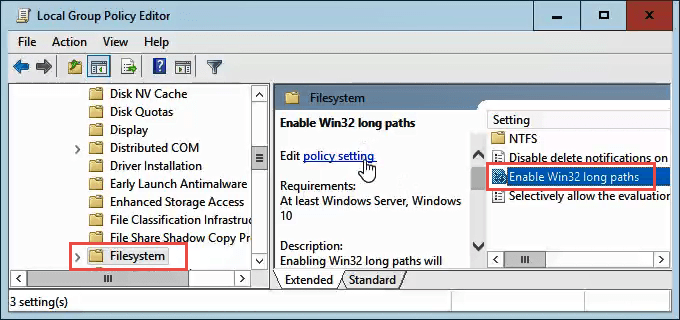
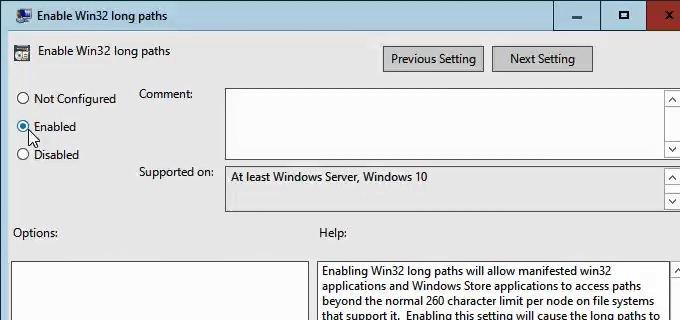
Double-click on it to edit the policy setting. Change it from Disabled to Enabled, then click the OK button to commit the change.
The policy may not take effect right away. You can force the group policy to update, though.
posted by Dinesh Kumar @ November 10, 2022
0 Comments


0 Comments:
Post a Comment
Subscribe to Post Comments [Atom]
<< Home